
How to generate an RFI from your prepared markets
Once you have entered all the data available to you, you may still need additional information from your client.
The Download RFI feature allows you to export your prepared markets into a structured spreadsheet, making it easier to request exactly what is missing.
Instead of sending a generic request, you can share a focused, data-driven RFI that reflects your current analysis.
When to use this
Use the RFI download when:
You have partially or fully prepared your markets
Some data points are missing or need verification
You want to request structured input from your client
This helps avoid back-and-forth and ensures your client understands exactly what is required.
How to download an RFI template
From the Prepare markets screen:
Click the download icon in the top right
Select Download RFI
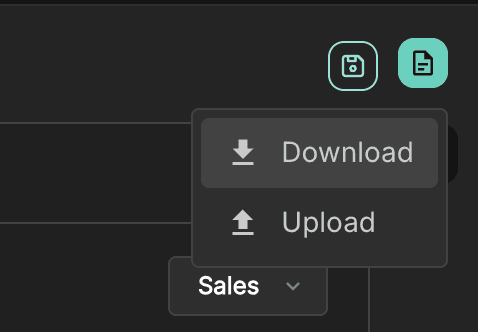
This will open the RFI download settings.
RFI download settings
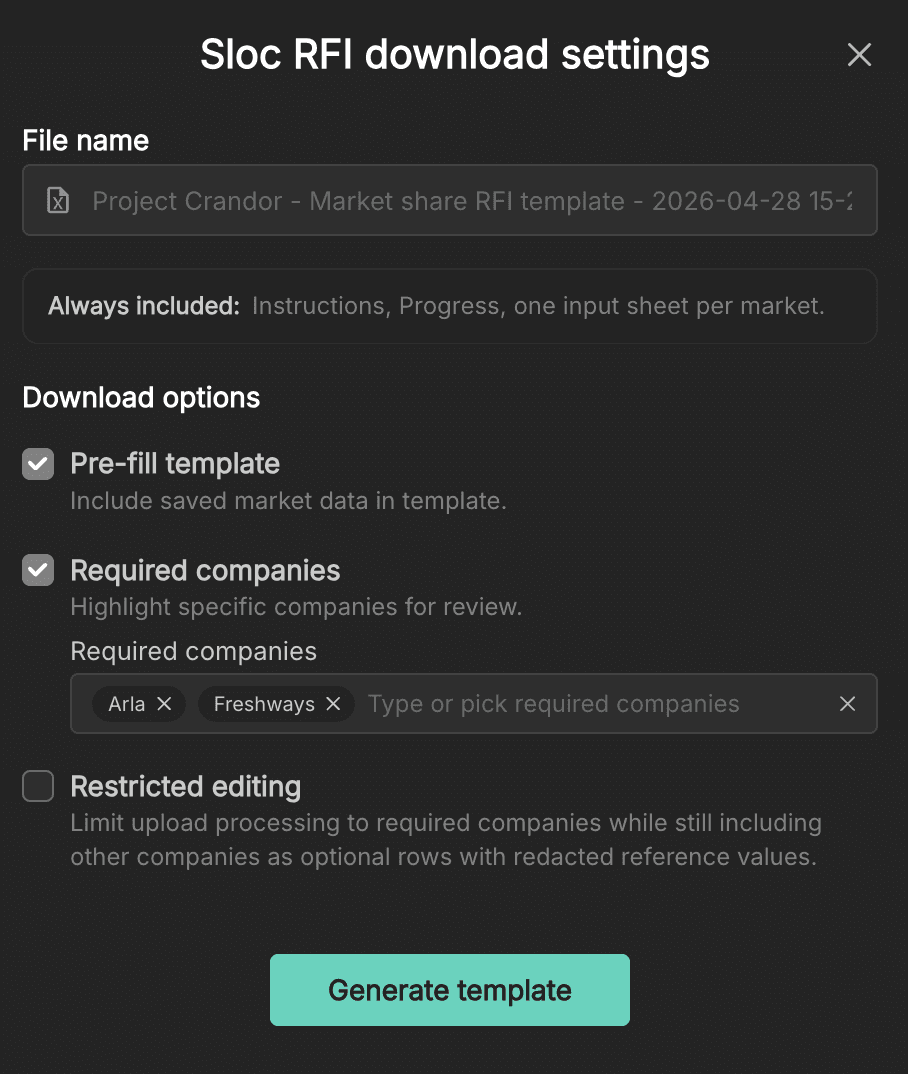
The RFI template is configurable to match how you want to collect data from your client.
File contents
Each download will always include:
Instructions for the recipient
A progress overview
One input sheet per market
This ensures your client has full context when completing the file.
Pre-fill template
Includes the data you have already entered
Clearly shows what is already known vs what is missing
This is recommended in most cases, as it reduces duplication and keeps the process efficient.
Required companies
You can highlight specific companies that need input:
Add companies that's already in your dataset to the required list
These will be clearly marked in the template
This is useful when you want clients to focus on key players, such as merging parties or major competitors.
Restricted editing
This is one of the most important settings.
Limits input to selected required companies
Keeps other companies visible with redacted values, but non-editable
Prevents accidental changes to existing data
In practice, this means:
Your client only fills in what you need
Your original inputs remain intact
The dataset stays clean and consistent when re-imported
This is particularly useful when working with sensitive or partially validated data.
Generating the template
Once your settings are configured:
Click Generate template
The file will be downloaded as a spreadsheet, ready to share with your client.
How the RFI helps your workflow
Using the RFI template:
Makes your requests more precise and structured
Reduces unnecessary follow-up questions
Keeps all inputs aligned with your market structure
Speeds up the process of completing your dataset
Once your client returns the completed file, you can come back to Sloc using Upload RFI to merge the new data in the project and continue refining it until it's ready for analysis.
Sign up to our newsletter