
How to streamline your data gathering with RFI upload
Once your client has filled in the RFI template you downloaded from Sloc, you can upload it back into Sloc to update your market data.
This allows you to bring external inputs directly into your structured analysis without manual re-entry.
Note: You can only upload RFI templates generated from Sloc. Files created outside of Sloc are not currently supported.
When to use this
Use the upload feature when:
You have sent a Sloc RFI template to your client
The client has completed or updated the spreadsheet
You want to merge their inputs back into your project
How to upload an RFI
From the Prepare markets screen:
Click the upload icon in the top right
Select your completed RFI file
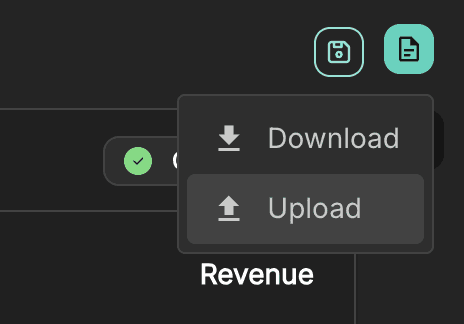
You can either:
Drag and drop the file
Or click Select file
Once selected, click Next to proceed.
Change review
Before applying any updates, Sloc will analyse the file and show you what has changed.
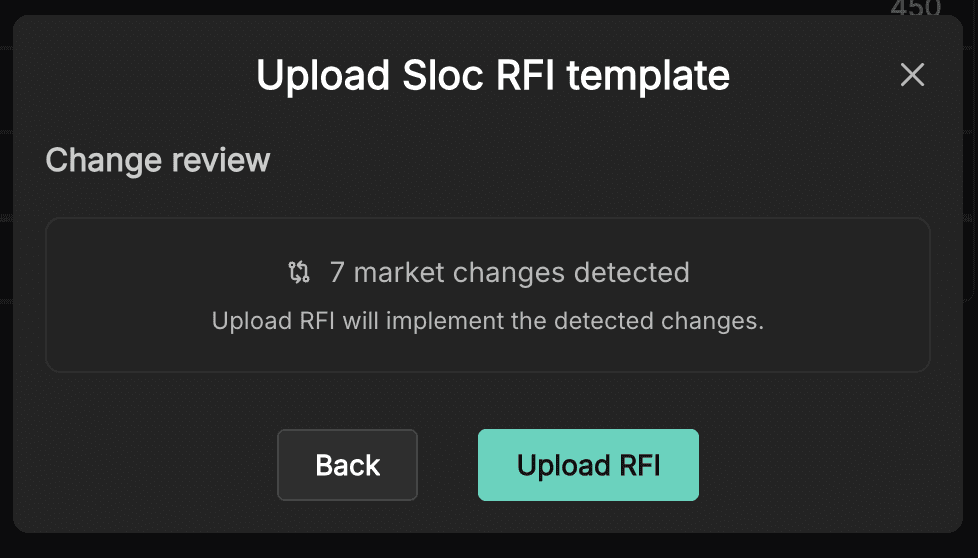
This includes: Number of market changes detected
If no changes are detected, you can still proceed, but no updates will be applied.
Uploading without restricted editing
If your original RFI was created without restricted editing:
The system will detect all changes made in the spreadsheet
You can directly upload and apply them
This is the simplest workflow, where all editable fields are treated equally.
Uploading with restricted editing
If your original RFI was created with restricted editing enabled, the workflow includes an additional step.
You will see:
Confirmation that a restricted template has been uploaded
Which companies are affected
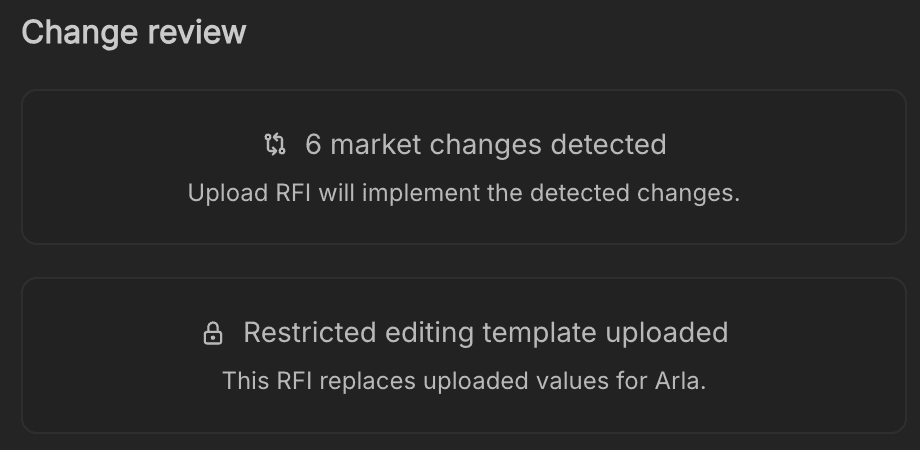
Because only specific companies were editable, you now need to decide how to merge the updates back into your dataset.
Merge options
You will be asked to choose how the uploaded data should be applied.
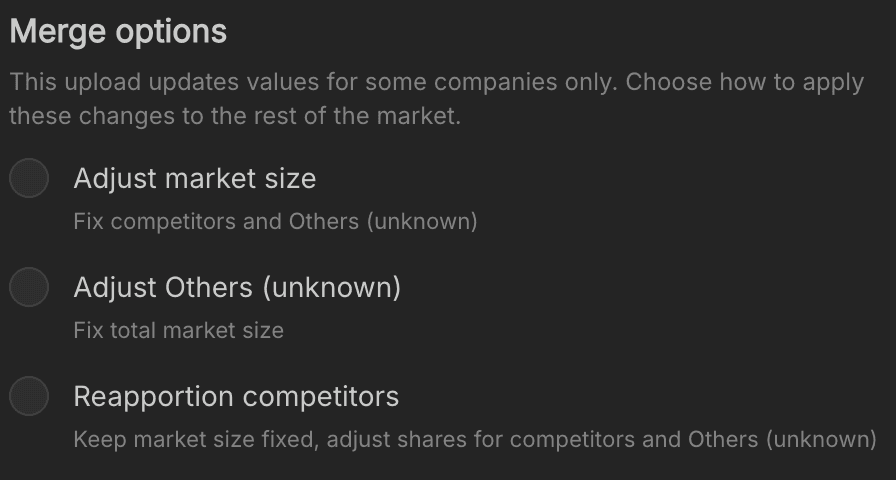
Adjust market size
Updates the overall market size based on uploaded values
Keeps competitor values and Others (unknown) fixed
Use this when the new data reflects a change in total market size.
Adjust Others (unknown)
Keeps the total market size fixed
Adjusts Others (unknown) to account for updated company values
Use this when you trust the total market size but want to refine known company shares.
Reapportion competitors
Keeps the total market size fixed
Redistributes shares across competitors and Others (unknown)
Use this when updates affect the overall distribution rather than absolute totals.
Applying the upload
Once you’ve selected your merge option:
Click Upload RFI
The system will apply the detected changes to your markets.
What to do next
After uploading:
Review each affected market in the workspace
Check for any discrepancies or unexpected changes
Reconfirm markets where necessary
Once everything is validated, you can proceed to analysis.
Sign up to our newsletter